This… This was a project.
The guidelines were to create an advertisement in photoshop, displaying some form of image manipulation. Format to design for was up to choice, so long as it was well defined.
That was pretty much it. Very vague, very “figure it out yourself.” So that’s where I had to start.
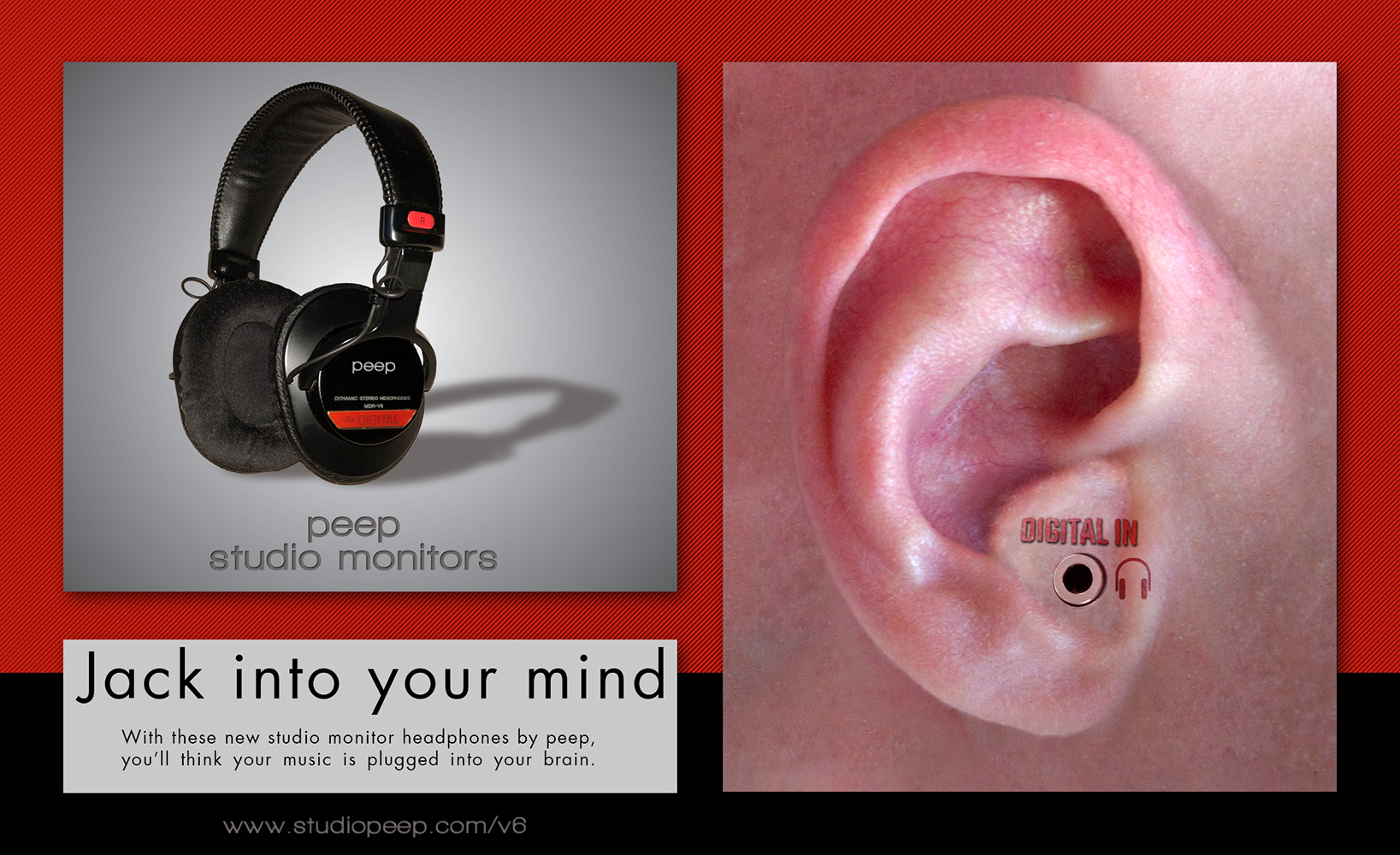
The end result is that I went with creating an advertisement for a set of headphones. I went with a vertical half-page magazine ad format. 4.5 inches tall 7.45 inches wide.
For the content, after doing a bit of research and looking through a number of older 90’s era magazine ads, I figured the best way to go about this would be to try and grab the viewers attention in some odd or awkward way. And what better way to do that than to have a gigantic, morphed ear on display?
Pretty brilliant, clearly.
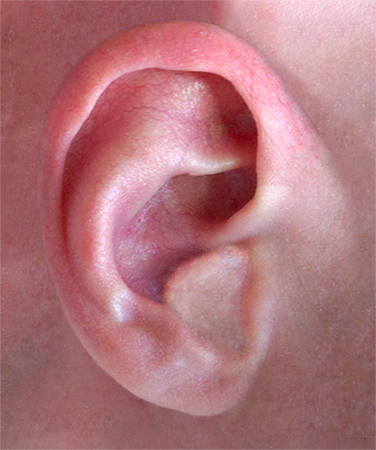
So I got to work. First step: Take a picture of my ear. Yeah, that’s my ear. From there it was taking the time to do a lot of cleaning and to cover the whole ear canal to make it look entirely flush and as if it didn’t even exist. You can see the before and after here:

To be honest, that whole process probably took the most time out of anything. There was some other work done to the ear, I fabricated a plain fleshy background so it wasn’t just a cropped ear, I filtered it a bit to bring out the desired colors, etc.
Touched up, it came out like this:
From there it was really just implanting a 3.5mm jack into where that ear canal used to be, creating a displacement mesh to help the text work into it and doing a few filters over it all to “even it out” a bit. Nothing too complicated.
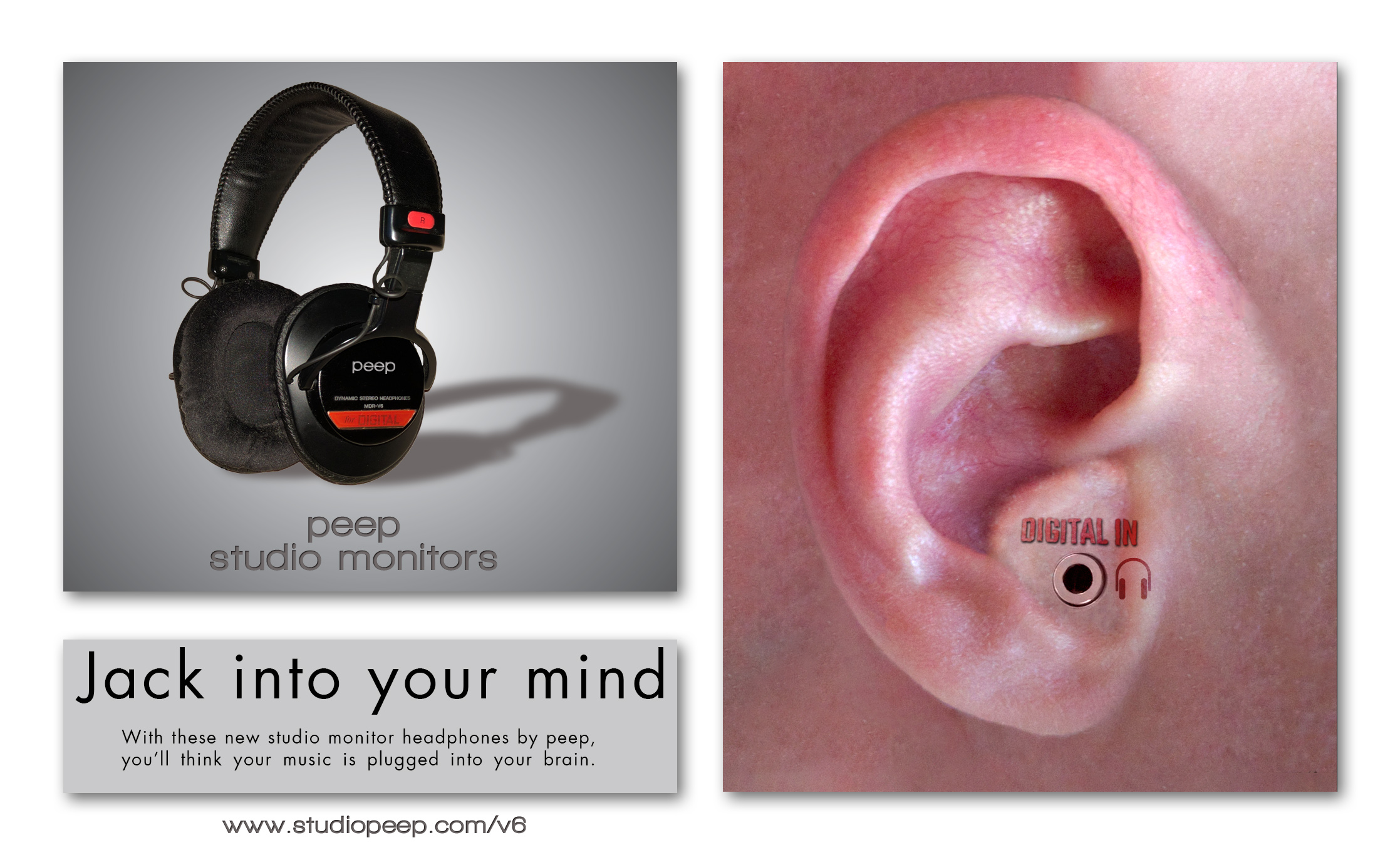
So I had the ear completely done. Most of the hard part out of the way. After that it was time to decide how exactly I wanted to format the ad. After a bit of playing around, I settled on formatting like this:

Splitting the page in half, one large content box to the right and having two split content boxes on the left. The ear went straight to the larger box to the right, and to the left I decided on mocking up a pair of headphones with the fake branding and then having a bit of advertisement copy in a box directly underneath.
Easy. Simple. Done.
Yeah okay I probably skipped explaining a few things. But that stage was really pretty easy.
Took a photo of a pair of my headphones(Sony MDR-V6’s), extracted it, cleaned it a bit, removed the Sony branding, adding my own and then creating a shadow for it. Other than that it was just adding copy where copy was needed and plugging a URL at the bottom.
The ad still wasn’t done, though. It had no background yet. Lucky for me, however, the headphones I had used has a very distinct visible color scheme. Red and black. So I decided to pull those out and use them.
This was the final product:
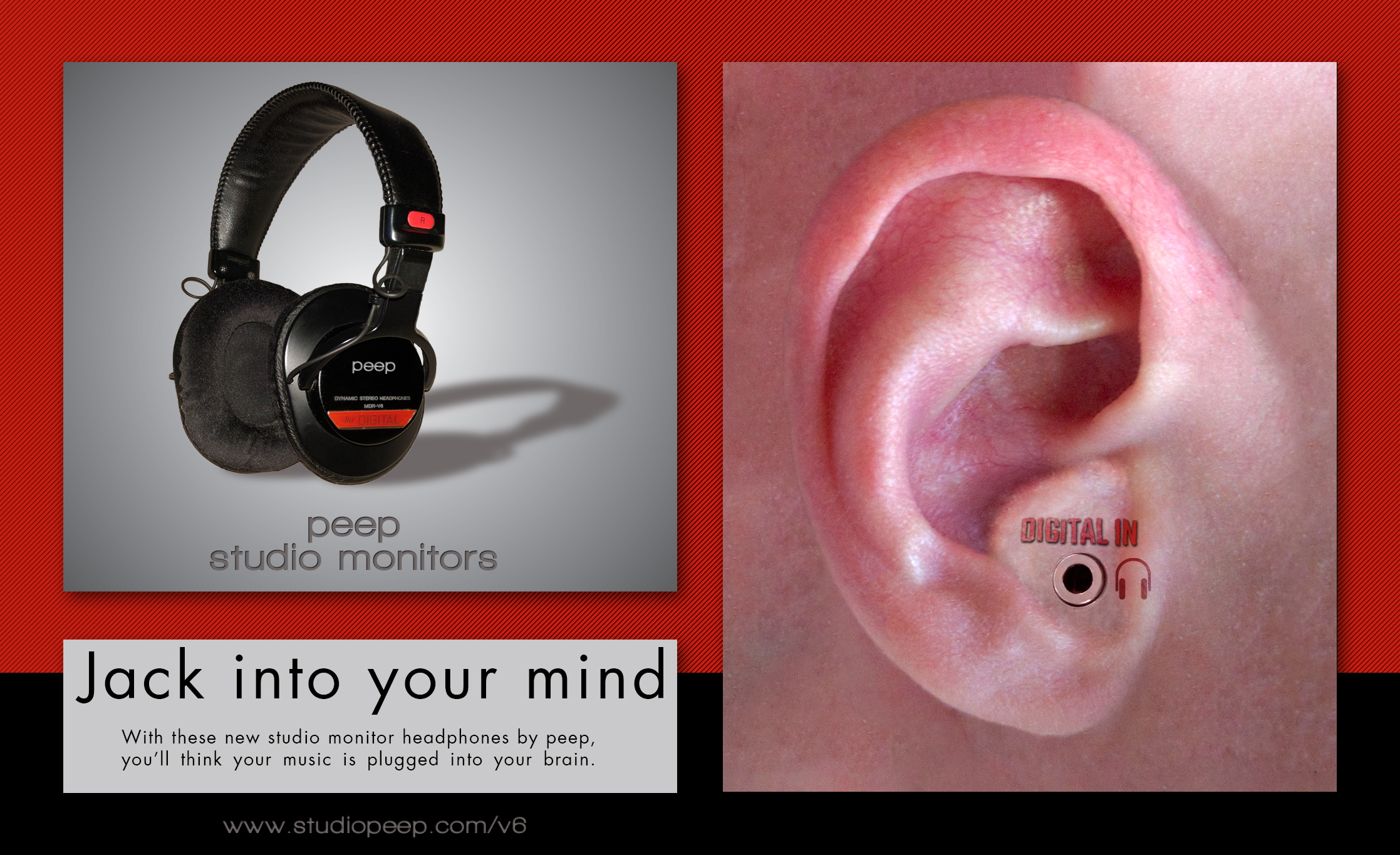
Texture was added to the red in the background to both make it a little less boring and to tone the brightness of the color down. The split to black towards the bottom was placed to pull the eye level with the headline of the advertisement copy.
Overall I think it came out pretty okay. The hardest part of the project was really just figuring out what it is I wanted to do, but once I had decided on that it was pretty straightforward.